





Course on Computer Concepts (CCC)

Master basic computer concepts, digital communication, and online operations through the NIELIT CCC Certification, recognized by the Government of India.
550+ Trainers
250+ course
150+ Branches

Course Overview

  • Next Batch:New batch starts every 7 days. Early registration is recommended.
  • Course Duration:3 Months
  • Eligibility:
    • 10th/12th pass
    • Graduates
    • Beginners
  • Tools:
      5
  • Modes of Training: Online Classes/Offline Training (at selected centers)
  • Projects:Available

₹11 LPA +

Average CTC

34000+

Naukri, LinkedIn, Glassdoor

3+

Industry Mentors

Join Our 100% Job Assistance

CCC – Course on Computer Concepts (CCC)

Overview of Course on Computer Concepts (CCC)

The CCC – Course on Computer Concepts is a nationally recognized digital literacy program by NIELIT (National Institute of Electronics & Information Technology). It aims to provide individuals with essential IT and computer skills required in today’s digital workplace.

Through step-by-step practical sessions, learners will gain confidence in using operating systems, office applications, and digital platforms. After completing the course and successfully passing the CCC Exam, students will receive a NIELIT Government Certificate, valid for both public and private sector opportunities.

What You’ll Learn From Course

Understand computer fundamentals, hardware, and operating systems.
Use MS Word, Excel, and PowerPoint for professional documentation.
Browse the internet and send emails effectively and safely.
Learn about digital payments, e-Governance, and online forms.
Protect your data with basic cybersecurity and digital ethics knowledge.
Earn your NIELIT CCC Certification for jobs and government exams.

Who Should Take this Course

10th/12th pass
Graduates
Beginners

Job Roles For Course

Data Entry Operator
Office Clerk
Front Desk Assistant
Technical Helper
E-Governance Executive

Tools Covered In Course

Windows / Linux Operating Systems (File & System Management)
MS Office Suite (Word, Excel, PowerPoint)
Web Browsers (Google Chrome, Mozilla Firefox)
Email & Cloud Tools (Gmail, Google Drive, OneDrive)
Digital Platforms (e-Governance, UPI, Cyber Safety Tools)

What’s included ?

Theory doesn’t help anyone in professional life, professional Courses are better learnt by experimenting.

Certifications like Microsoft, Google, HP, Cisco, EC-Council make a huge difference in placement.

Contents are based upon the latest trends in IT industry nd as per the recommendations of IT Guys.

Good opportunities need to spread geographically, so is Samyak for the benefit of professional and job seekers.

All courses are as per industry needs and with projects/ examples, which make Samyak’s approach job oriented.

Once the course is completed from Samyak, there is a dedicated team to guide for interview and placements.

Course on Computer Concepts (CCC) Syllabus

1. Introduction to Computer

  • 1.0 Introduction
  • 1.1 Objectives
  • 1.2 Computer and Latest IT gadgets
  • 1.2.1 Evolution of Computers & its applications
  • 1.2.2 IT gadgets and their applications
  • 1.3 Basics of Hardware and Software
  • 1.3.1 Hardware
  • 1.3.1.1 Central Processing Unit
  • 1.3.1.2 Input devices
  • 1.3.1.3 Output devices
  • 1.3.1.4 Computer Memory & storage
  • 1.3.2 Software
  • 1.3.2.1 Application Software
  • 1.3.2.2 Systems Software
  • 1.3.2.3 Utility Software
  • 1.3.2.4 Open source and Proprietary Software
  • 1.3.2.5 Mobile Apps

2. Introduction to Operating System

  • 2.0 Introduction
  • 2.1 Objectives
  • 2.2 Operating System
  • 2.2.1 Basics of Operating system
  • 2.2.2 Operating Systems forDesktop and Laptop
  • 2.2.3 Operating Systems for Mobile Phone and Tablets
  • 2.3 User Interface for Desktop and Laptop
  • 2.3.1 Task Bar
  • 2.3.2 Icons & shortcuts
  • 2.3.3 Running an Application
  • 2.4 Operating System Simple Setting
  • 2.4.1 Using Mouse and Changing its Properties
  • 2.4.2 Changing System Date and Time
  • 2.4.3 Changing Display Properties
  • 2.4.4 To Add or Remove Program and Features
  • 2.4.5 Adding, Removing & Sharing Printers
  • 2.5 File and Folder Management
  • 2.6 Types of file Extensions

3. WORD PROCESSING

  • 3.0 Introduction
  • 3.1 Objective
  • 3.2 Word Processing Basics
  • 3.2.1 Opening Word Processing Package
  • 3.2.2 Title Bar, Menu Bar, Toolbars & Sidebar
  • 3.2.3 Creating a New Document
  • 3.3 Opening and Closing Documents
  • 3.3.1 Opening Documents
  • 3.3.2 Save and Save As
  • 3.3.3 Closing Document
  • 3.3.4 Using The Help
  • 3.3.5 Page Setup
  • 3.3.6 Print Preview
  • 3.3.7 Printing of Documents
  • 3.3.8 PDF file and Saving a Document as PDF file
  • 3.4 Text Creation and manipulation
  • 3.4.1 Document Creation
  • 3.4.2 Editing Text
  • 3.4.3 Text Selection
  • 3.4.4 Cut, Copy and Paste
  • 3.4.5 Font, Color, Style and Size selection
  • 3.4.6 Alignment of Text
  • 3.4.7 Undo & Redo
  • 3.4.8 AutoCorrect, Spelling & Grammar
  • 3.4.9 Find and Replace
  • 3.5 Formatting the Text
  • 3.5.1 Paragraph Indentation
  • 3.5.2 Bullets and Numbering
  • 3.5.3 Change case
  • 3.5.4 Header & Footer
  • 3.6 Table Manipulation
  • 3.6.1 Insert & Draw Table
  • 3.6.2 Changing cell width and height
  • 3.6.3 Alignment of Text in cell
  • 3.6.4 Delete / Insertion of Row, Column and Merging & Splitting of Cells
  • 3.6.5 Border and Shading
  • 3.7 Mail Merge
  • 3.8 Shortcut Keys

4. SPREAD SHEET

  • 4.0 Introduction
  • 4.1 Objectives
  • 4.2 Elements of Spread Sheet
  • 4.2.1 Creating of Spread Sheet
  • 4.2.2 Concept of Cell Address [Row and Column]nand selecting a Cell
  • 4.2.3 Entering Data [text, number, date] in Cells
  • 4.2.4 Page Setup
  • 4.2.5 Printing of Sheet
  • 4.2.6 Saving Spreadsheet
  • 4.2.7 Opening and Closing
  • 4.3 Manipulation of Cells & Sheet
  • 4.3.1 Modifying / Editing Cell Content
  • 4.3.2 Formatting Cell (Font, Alignment, Style )
  • 4.3.3 Cut, Copy, Paste & Paste Special
  • 4.3.4 Changing Cell Height and Width
  • 4.3.5 Inserting and Deleting Rows, Column
  • 4.3.6 AutoFill
  • 4.3.7 Sorting & Filtering
  • 4.3.8 Freezing panes
  • 4.4 Formulas, Functions and Charts
  • 4.4.1 Using Formulas for Numbers (Addition, Subtraction, Multiplication & Division)
  • 4.4.2 AutoSum
  • 4.4.3 Functions (Sum, Count, MAX, MIN, AVERAGE)
  • 4.4.4 Charts (Bar, Pie, Line)

5. Presentation

  • 5.0 Introduction
  • 5.1 Objectives
  • 5.2 Creation of Presentation
  • 5.2.1 Creating a Presentation Using a Template
  • 5.2.2 Creating a Blank Presentation
  • 5.2.3 Inserting & Editing Text on Slides
  • 5.2.4 Inserting and Deleting Slides in a Presentation
  • 5.2.5 Saving a Presentation
  • 5.3 Manipulating Slides
  • 5.3.1 Inserting Table
  • 5.3.2 Adding ClipArt Pictures
  • 5.3.3 Inserting Other Objects
  • 5.3.4 Resizing and Scaling an Object
  • 5.3.5 Creating & using Master Slide
  • 5.4 Presentation of Slides
  • 5.4.1 Choosing a Set Up for Presentation
  • 5.4.2 Running a Slide Show
  • 5.4.3 Transition and Slide Timings
  • 5.4.4 Automating a Slide Show
  • 5.5 Providing Aesthetics to Slides & Printing
  • 5.5.1 Enhancing Text Presentation
  • 5.5.2 Working with Color and Line Style
  • 5.5.3 Adding Movie and Sound
  • 5.5.4 Adding Headers, Footers and Notes
  • 5.5.5 Printing Slides and Handouts

6. INTRODUCTION TO INTERNET AND WWW

  • 6.0 Introduction
  • 6.1 Objectives
  • 6.2 Basic of Computer Networks
  • 6.2.1 Local Area Network (LAN)
  • 6.2.2 Wide Area Network (WAN)
  • 6.2.3 Network Topology
  • 6.3 Internet
  • 6.3.1 Concept of Internet & WWW
  • 6.3.2 Applications of Internet
  • 6.3.3 Website Address and URL
  • 6.3.4 Introduction to IP Address
  • 6.3.5 ISP and Role of ISP
  • 6.3.6 Internet Protocol
  • 6.3.7 Modes of Connecting Internet (Hotspot, Wi-Fi, LAN Cable, Broadband, USB Tethering)
  • 6.3.8 Identifying and uses of IP/MAC/IMEI of various devices
  • 6.4 Popular Web Browsers (Internet Explorer/Edge, Chrome, Mozilla Firefox, Opera etc.)
  • 6.5 Exploring the Internet
  • 6.5.1 Surfing the web
  • 6.5.2 Popular Search Engines
  • 6.5.3 Searching on Internet
  • 6.5.4 Downloading Web Pages
  • 6.5.5 Printing Web Pages

7. E-mail, Social Networking and e-Governance Services

  • 7.0 Introduction
  • 7.1 Objectives
  • 7.2 Structure of E-mail
  • 7.3 Using E-mails
  • 7.3.1 Opening Email account
  • 7.3.2 Mailbox: Inbox and Outbox
  • 7.3.3 Creating and Sending a new E-mail
  • 7.3.4 Replying to an E-mail message
  • 7.3.5 Forwarding an E-mail message
  • 7.3.6 Searching emails
  • 7.3.7 Attaching files with email
  • 7.3.8 Email Signature
  • 7.4 Social Networking & e-Commerce
  • 7.4.1 Facebook, Twitter, LinkedIn, Instagram
  • 7.4.2 Instant Messaging (WhatsApp, Facebook Messenger, Telegram)
  • 7.4.3 Introduction to Blogs
  • 7.4.4 Basics of E-commerce
  • 7.4.5 Netiquettes
  • 7.5 Overview of e-Governance Services like Railway Reservation, Passport, eHospital [ORS]
  • 7.6 Accessing e-Governance Services on Mobile Using “UMANG APP”
  • 7.7 Digital Locker

8. DIGITAL FINANCIAL TOOLS AND APPLICATIONS

  • 8.0 Introduction
  • 8.1 Objectives
  • 8.2 Digital Financial Tools
  • 8.2.1. Understanding OTP [One Time Password] and QR [Quick Response] Code
  • 8.2.2 UPI [Unified Payment Interface]
  • 8.2.3 AEPS [Aadhaar Enabled Payment System]
  • 8.2.4 USSD[Unstructured Supplementary Service Data]
  • 8.2.5 Card [Credit / Debit]
  • 8.2.6 eWallet
  • 8.2.7 PoS [Point of Sale]
  • 8.3 Internet Banking
  • 8.3.1 National Electronic Fund Transfer (NEFT)
  • 8.3.2 Real Time Gross Settlement (RTGS)
  • 8.3.3 Immediate Payment Service (IMPS)
  • 8.4 Online Bill Payment

9. Overview of Cyber Security

  • 9.0 Cyber Security
  • 9.0.1 Need and Goal of Cyber Security
  • 9.0.2 Securing PC
  • 9.0.3 Securing Browser
  • 9.0.4 Securing Email and Social Media Accounts (Facebook, Instagram, WhatsApp)
  • 9.0.5 Securing Smart Phone

10. Future skills and Artificial Intelligence

  • 10.0 Introduction to Future skills
  • 10.1 Introduction to
  • 10.1.1 Internet of Things (IoT)
  • 10.1.2 Big Data Analytics
  • 10.1.3 Cloud Computing
  • 10.1.4 Virtual Reality
  • 10.1.5 Artificial Intelligence
  • 10.1.6 Social & Mobile
  • 10.1.7 Blockchain Technology
  • 10.1.8 3D Printing/ Additive Manufacturing
  • 10.2 What is Artificial Intelligence (AI)?
  • 10.3 History of Artificial Intelligence
  • 10.4 Why Artificial Intelligence?
  • 10.5 Goals of Artificial Intelligence
  • 10.6 Ethics of Artificial Intelligence
  • 10.7 Advantages of Artificial Intelligence
  • 10.8 Disadvantages of Artificial Intelligence
  • 10.9 Application of AI
  • 10.10 Types of Artificial Intelligence:
  • 10.11 Subsets of Artificial Intelligence
  • 10.12 Future of Artificial Intelligence
  • 10.13 Artificial Intelligence (AI) at Present
  • 10.14 Myths about Advanced Artificial Intelligence
  • 10.15 Future impact of AI in different sectors

Key Features

  • Government job applicability and digital literacy
  • In-depth practical sessions with certified trainers
  • Access to online tools and cloud storage tutorials
  • Learning support for digital payments and secure browsing

Job Roles

  • Data Entry Operator
  • Office Clerk
  • Front Desk Assistant
  • Technical Helper
  • E-Governance Executive

Program Highlights

  • The CCC course makes you proficient in operating a computer and accessing digital services. It’s tailored for first-time users and provides the essential computer knowledge needed for professional and personal use.
  • This training provides a vital edge in many government exams where digital literacy is a criterion. It helps in mastering online form submissions, digital documentation, and email handling.
  • Gain confidence in handling Word documents, Excel spreadsheets, presentation slides, and using the internet for searches, emails, and digital forms with ease.
  • Learn about India's key government schemes and digital finance options. Become familiar with digital wallets, UPI, and e-governance portals such as DigiLocker and UMANG.

What is an Ultimate Career Choice?

Massive Market
Massive Market

Learn skills that open doors to vast, growing markets worldwide, constantly increasing demand across industries.

High-Paying Jobs
High-Paying Jobs

Acquire in-demand expertise to command top salaries, and accelerate long-term financial growth .

Future-Proof Career
Future-Proof Career

Build adaptable, technology that keep your career relevant, and valuable in chaanging times.

Entrepreneurial Path

Gain practical tools, mindset and networks needed to launch ventures, create sustainable businesses.

Global Impact
Global Impact

Develop solutions and leadership that solve real-world problems, positively impacting communities.

Large Community
Large Community

Join a diverse, supportive community of learners, mentorship, opportunities, and lasting connections.

Be in the spotlight by getting certified!

A detailed overview of the course, including key topics, objectives, and module sequence.

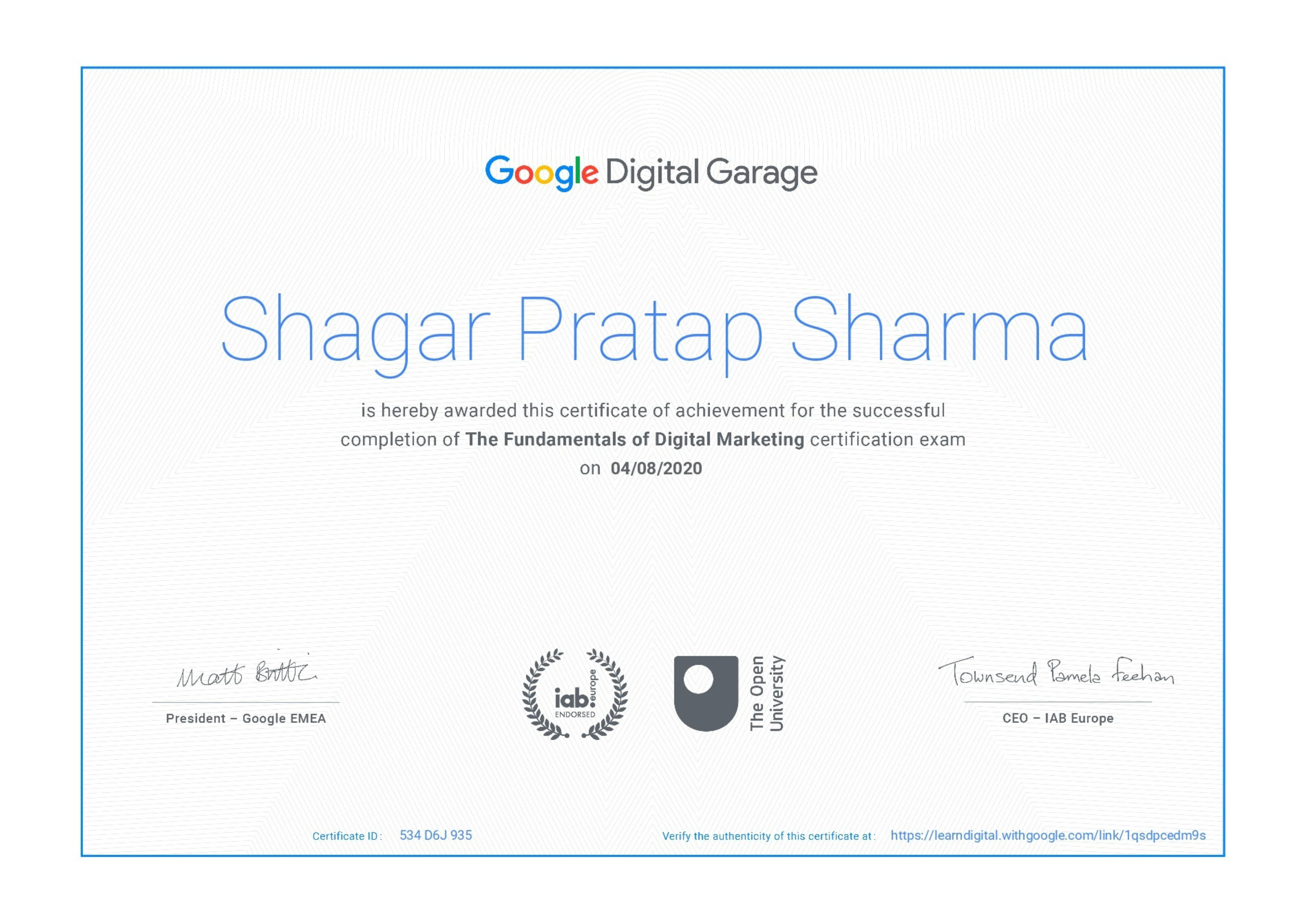
Google Certificate (included)

Google Certificate (included)

Internationally recognized certificate for professional achievement.

Samyak Certificate (included)

Samyak Certificate (included)

ISO 9001:2008 certified training recognized globally.

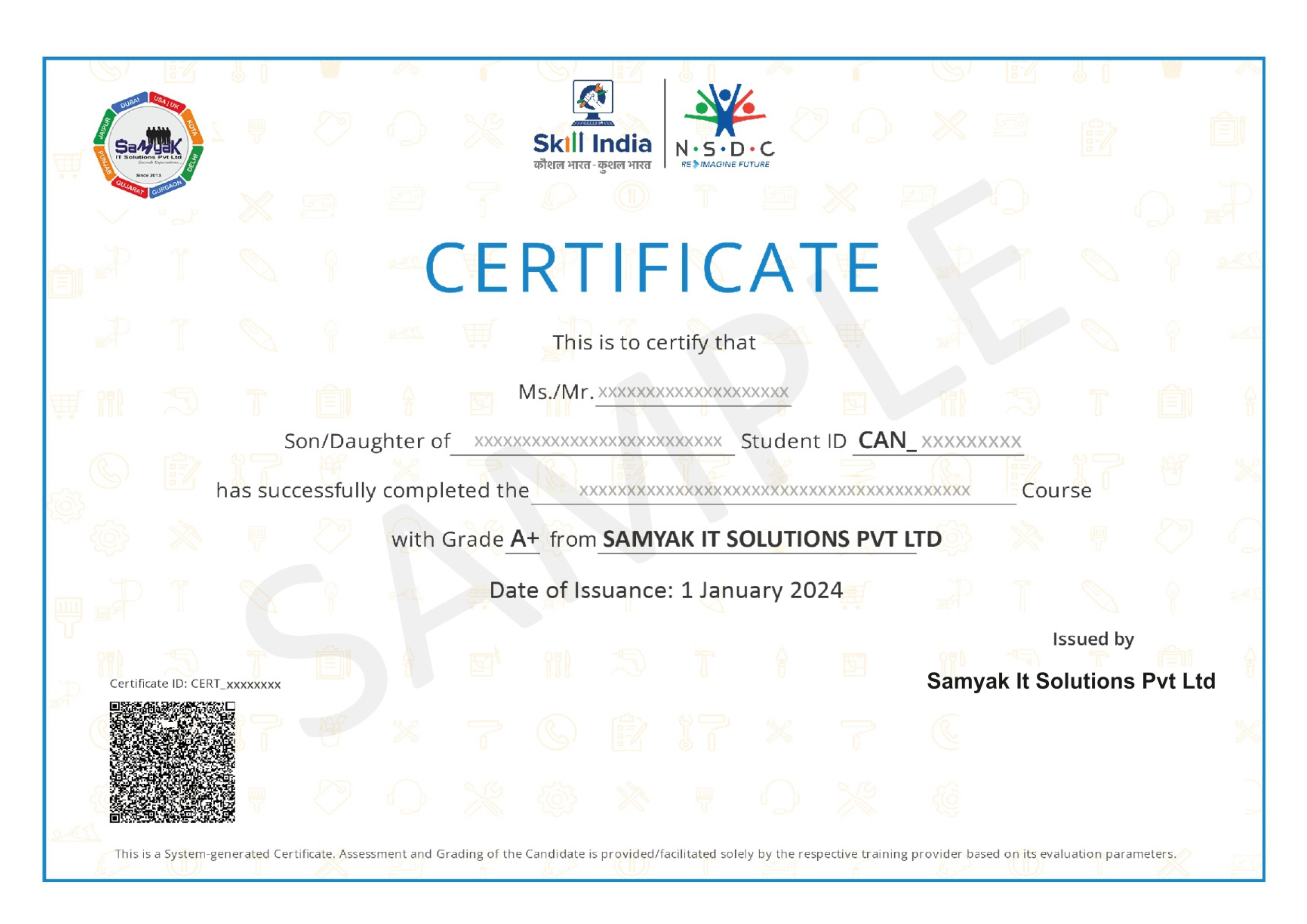
NSDC Certificate (included)

NSDC Certificate (included)

Govt of India-backed certification enhancing employability.

Get Certified

Our Students Placed In Top Companies

×

Application Form