




📞 +91-7413825777 | +91-9105106105 | +91-7413873777
FB X IG YT

Video Editing with Adobe Premiere Pro Training Course

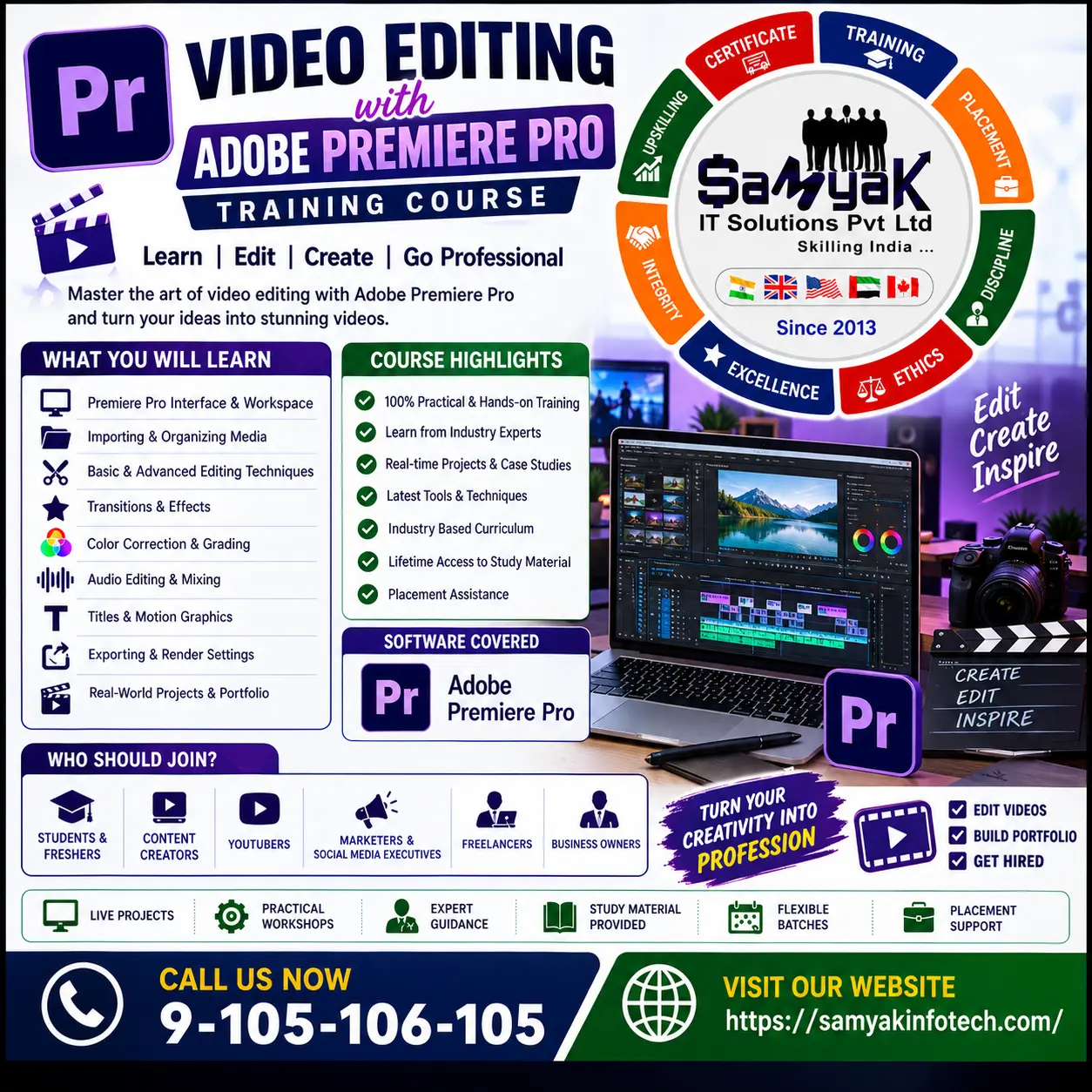
The Video Editing with Adobe Premiere Pro training is a comprehensive, hands-on program designed to build your core expertise in professional video post-production. It equips you with practical skills in timeline editing, audio mixing, color correction, and visual effects to create cinematic narratives for digital and broadcast platforms.

Course Overview

  • Next Batch Next Batch:New Batch Every 10 days
  • Course Duration Course Duration:2 Months
  • Eligibility Eligibility:
    • Students & Graduates
    • Aspiring Filmmakers & Video Editors
    • Digital Content Creators & YouTubers
    • Marketing & Media Professionals
    • Anyone looking to pursue a career in Video Post-Production.
  • Tools Tools:
      6
  • Modes of Training Modes of Training:Online/Offline
  • Projects Projects:Available
CTC

₹4 LPA+

Average CTC

Students

25000+

Naukri, LinkedIn, Glassdoor

Mentors

3+

Industry Mentors

Join Our 100% Job Assistance

Video Editing with Adobe Premiere Pro Training Course

  • Learn industry-standard video editing and post-production principles.
  • Master timeline workflows, advanced trimming, and multicamera editing.
  • Understand professional color correction and cinematic color grading.
  • Work on real-world video editing simulations and creative projects.
  • Study audio mixing, sound sweetening, and dynamic visual effects.
  • Build a high-quality portfolio to showcase your post-production expertise.

Overview of Video Editing with Adobe Premiere Pro Training Course

The Video Editing with Adobe Premiere Pro training course is a globally recognized program designed to teach students how to manipulate raw media like industry professionals. It provides in-depth knowledge of timeline management, audio mixing, color correction, and dynamic visual effects, giving you the specialized technical expertise needed to advance your career.

Learners will gain practical experience using the official Adobe Premiere Pro software through controlled labs and real-world project simulations. By completing this course, you can prepare for advanced certifications and pursue roles such as Video Editor, Post-Production Specialist, and Colorist in the rapidly growing mediaand IT industry.

What You’ll Learn in Video Editing with Adobe Premiere Pro


Master the Premiere Pro interface, project setup, media importing, and sequence mapping.

Perform precise timeline navigation, advanced trimming, and four-point editing workflows.

Edit and sync multicamera sequences for professional event and studio productions.

Mix audio tracks, sweeten sound with EQ, and eliminate background noise effectively.

Apply color-oriented workflows to fix exposure, balance colors, and create cinematic looks.

Export sequences optimally for web, broadcast, and other applications using Media Encoder.

Who Should Take Video Editing with Adobe Premiere Pro

Aspiring Video Editors
Content Creators & YouTubers
Filmmakers & Directors
Media & Journalism Students
Digital Marketing Professionals
Freelance Videographers

Job Roles For Course

Professional Video Editor
Post-Production Specialist
Film & TV Editor
Multimedia Artist
Colorist
Social Media Content Producer

Tools Covered In Course

Adobe Premiere Pro
Adobe Media Encoder
Lumetri Color Panel
Essential Graphics Panel
Audio Track Mixer
Multicamera Monitor

What's included ?

Live Project

Theory doesn’t help anyone in professional life, professional Courses are better learnt by experimenting.

Global Certificates

Certifications like Microsoft, Google, HP, Cisco, EC-Council make a huge difference in placement.

Advanced Contents

Contents are based upon the latest trends in IT industry nd as per the recommendations of IT Guys.

Multi Location

Good opportunities need to spread geographically, so is Samyak for the benefit of professional and job seekers.

Job Oriented

All courses are as per industry needs and with projects/ examples, which make Samyak’s approach job oriented.

Placement Assistance

Once the course is completed from Samyak, there is a dedicated team to guide for interview and placements.
Video Editing with Adobe Premiere Pro Course Syllabus

1. Premiere Pro Basics & Organizing Media

  • Premiere Pro basics encompassing software setup, project creation, and sequence mapping.
  • Importing Media including importing assets, working with the Media Browser, and managing the media cache.
  • Organizing Media using the Project panel, working with bins, and organizing media with content analysis.
  • Monitoring footage effectively and modifying clips before adding them to the timeline.

2. Essentials of Video Editing & Markers

  • Using the Source Monitor and precisely navigating the Timeline.
  • Applying essential editing commands and finding gaps in the Timeline.
  • Working with Clips and Markers, including Program Monitor controls and controlling resolution.
  • Using Sync Lock, Track Lock, moving clips, and extracting/deleting segments.

3. Transitions & Advanced Editing Techniques

  • Adding Transitions by understanding edit points, handles, and adding video transitions.
  • Using A/B mode to fine - tune transitions and adding audio transitions for seamless flows.
  • Advanced Editing Techniques including four - point editing, retiming clips, and replacing clips and footage.
  • Nesting sequences, executing regular trimming, advanced trimming, and trimming directly in the Program Monitor panel.

4. Motion Effects & Multicamera Editing

  • Putting Clips in Motion by adjusting the Motion effect and changing clip position/size.
  • Working with key frame interpolation and utilizing other motion - related effects.
  • Multicamera Editing covering the entire multicamera process and creating a multicamera sequence.
  • Switching multiple cameras in real - time and finalizing multicamera editing.

5. Audio Editing, Mixing & Sweetening Sound

  • Editing and Mixing Audio by examining audio characteristics and mastering the interface.
  • Adjusting audio volume, adjusting audio levels in a sequence, and creating a split edit.
  • Sweetening Sound utilizing audio effects and effectively adjusting EQ.
  • Applying effects in the Audio Mixer and cleaning up noisy audio for professional delivery.

6. Video Effects, Color Grading & Exporting

  • Adding Video Effects including key framing effects, using effect presets, and exploring frequently used effects.
  • Color Correction and Grading through color - oriented workflows, fixing exposure, and fixing color balance.
  • Creating Titles utilizing the Title window, stylizing text, working with shapes/logos, and making text roll/crawl.
  • Exporting Frames, Clips, and Sequences including exporting master copies, working with Adobe Media Encoder.

What is an Ultimate Career Choice?

Massive Market
Massive Market

Learn skills that open doors to vast, growing markets worldwide, constantly increasing demand across industries.

High-Paying Jobs
High-Paying Jobs

Acquire in-demand expertise to command top salaries, and accelerate long-term financial growth .

Future-Proof Career
Future-Proof Career

Build adaptable, technology that keep your career relevant, and valuable in changing times.

Entrepreneurial Path

Gain practical tools, mindset and networks needed to launch ventures, create sustainable businesses.

Global Impact
Global Impact

Develop solutions and leadership that solve real-world problems, positively impacting communities.

Large Community
Large Community

Join a diverse, supportive community of learners, mentorship, opportunities, and lasting connections.

Be in the spotlight by getting certified!

A detailed overview of the course, including key topics, objectives, and module sequence.

Samyak Certificate (included)

Samyak Certificate (included)

ISO 9001:2008 certified training recognized globally.
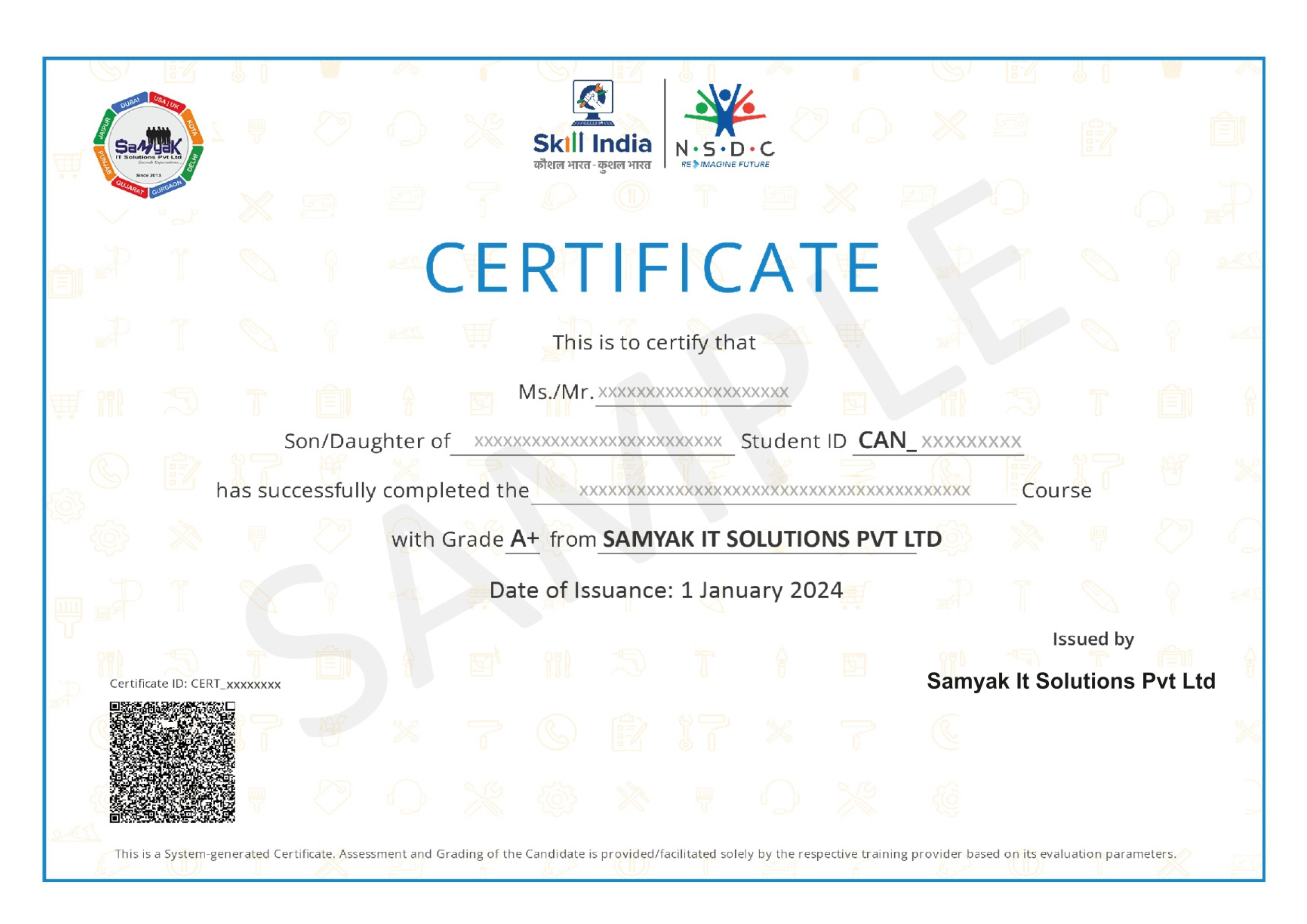
NSDC Certificate (included)

NSDC Certificate (included)

Govt of India-backed certification enhancing employability.
Get Certified
Video Editing – Premiere Pro

About This Course

The Video Editing with Adobe Premiere Pro course is a comprehensive, career-oriented training program designed meticulously for aspiring editors, content creators, media students, and working professionals who want to build exceptional hands-on skills in video post-production. The curriculum focuses entirely on identifying the best editing strategies to transform raw, uncut footage into highly engaging, cinematic narratives, ensuring that you have the precise technical foundation needed to produce industry-standard, high-quality videos for broadcast, cinema, and modern digital platforms.

With the unprecedented and rapid pace of digital media consumption and the massive global surge in video marketing, organizations across all sectors face an expanding array of demands for highly skilled video editors. Professionals properly trained through this robust Video Editing with Adobe Premiere Pro curriculum are highly sought after by IT companies, leading advertising agencies, film production houses, and digital marketing enterprises. A major, undeniable advantage of this specific training program is its uniquely practical approach. Students actively learn complex post-production concepts through entirely controlled editing simulations, live real-world projects, and demanding professional workflows. This hands-on method helps learners thoroughly understand how to pace a narrative correctly, how to structure timelines, and how to implement robust editing strategies that consistently captivate audiences while meeting strict, real-world client deadlines.

The syllabus systematically begins with the most fundamental basics, covering optimal project setup, robust media management, and the core principles of organizing footage efficiently to save time. Next, intricate timeline mechanics, essential non-linear editing commands, and exact synchronization techniques are covered extensively, as strong structural knowledge is absolutely essential to navigate heavy, multi-layered video sequences without workflow bottlenecks.

Furthermore, dynamic audio mixing and professional sound sweetening are also a core, non-negotiable focus within the training. Students learn exactly how to manipulate the powerful Audio Track Mixer, apply precise EQ effects, and successfully eliminate unwanted background noise from poorly recorded clips. Mastering sound design in Video Editing with Adobe Premiere Pro is critical, as a vast majority of audience retention relies heavily on crisp, balanced, and immersive auditory experiences.

Visual enhancement forms another highly significant part of the coursework. Students learn to accurately identify harsh exposure issues, balance skewed colors, and apply beautifully stylized cinematic looks using advanced Lumetri Color workflows. Additionally, dynamic motion effects, complex keyframe interpolation, and multi-angle multicamera editing are explored in deep detail. Learners tackle common post-production challenges head-on to ensure the final exported output is completely polished, visually stunning, and ready for global distribution.

Ultimately, completing this advanced, highly-rated credential opens a wealth of extremely lucrative career opportunities. Graduates can seamlessly transition into full-time, high-paying roles such as Professional Video Editor, Colorist, Post-Production Specialist, or Multimedia Artist. Furthermore, it provides a rock-solid, unbeatable foundation for advanced creative certifications and highly specialized freelance ventures. Whether you explicitly want to specialize in high-retention YouTube content creation or high-end commercial television editing, this intensive training beautifully equips you with the exact technical expertise, speed, and creative mindset required to wildly succeed in the rapidly growing media industry.

Exclusive Career Support Programs at Samyak Computer Classes

At Samyak Computer Classes, we don’t just teach courses — we help students build successful careers. Along with professional training, we provide FREE Career Development & Placement Support Programs to make every student industry-ready.

Free Personality Development Sessions

Conducted Every Saturday

Build the confidence required to succeed in today’s professional world through our weekly FREE Personality Development Sessions.

  • Communication Skills Improvement
  • Confidence & Public Speaking
  • Interview Communication
  • Professional Grooming
  • Corporate Etiquette

Free Placement Readiness Program

Conducted Every Second Saturday

Our specialized Placement Readiness Sessions are designed to prepare students for real-world job opportunities.

📄 Resume Preparation

Learn how to create a professional and recruiter-friendly resume.

🌐 Online Job Portal Awareness

Guidance on using online job platforms effectively to find better opportunities.

🎯 Mock Interview Sessions

Practice real interview scenarios with expert feedback.

Free Placement Drive

Conducted Every Third Saturday

Samyak organizes FREE Placement Drives exclusively for Samyak students to connect them with hiring companies.

  • Direct Interview Opportunities
  • Industry Exposure
  • Career Guidance & Support
  • Better Job Opportunities
  • Professional Networking

Our Students Placed In Top Companies

×

Application Form