About This Course
The Basic Computer Course is one of the most important foundation-level computer training programs designed for students, job seekers, working professionals, business owners, and individuals who want to develop essential computer skills required in today's digital world. Computers have become a vital part of daily life, education, business operations, communication, banking, government services, and professional careers. Almost every industry now requires employees to possess basic computer knowledge, making computer literacy one of the most valuable skills for career growth and professional success.
This Basic Computer Course is specifically designed to help beginners understand computers from the ground level and develop confidence in using modern digital technologies. Whether you are a student preparing for future career opportunities, a job seeker looking to improve employability, or a professional wanting to enhance workplace productivity, this course provides practical computer knowledge that can be applied immediately in real-life situations.
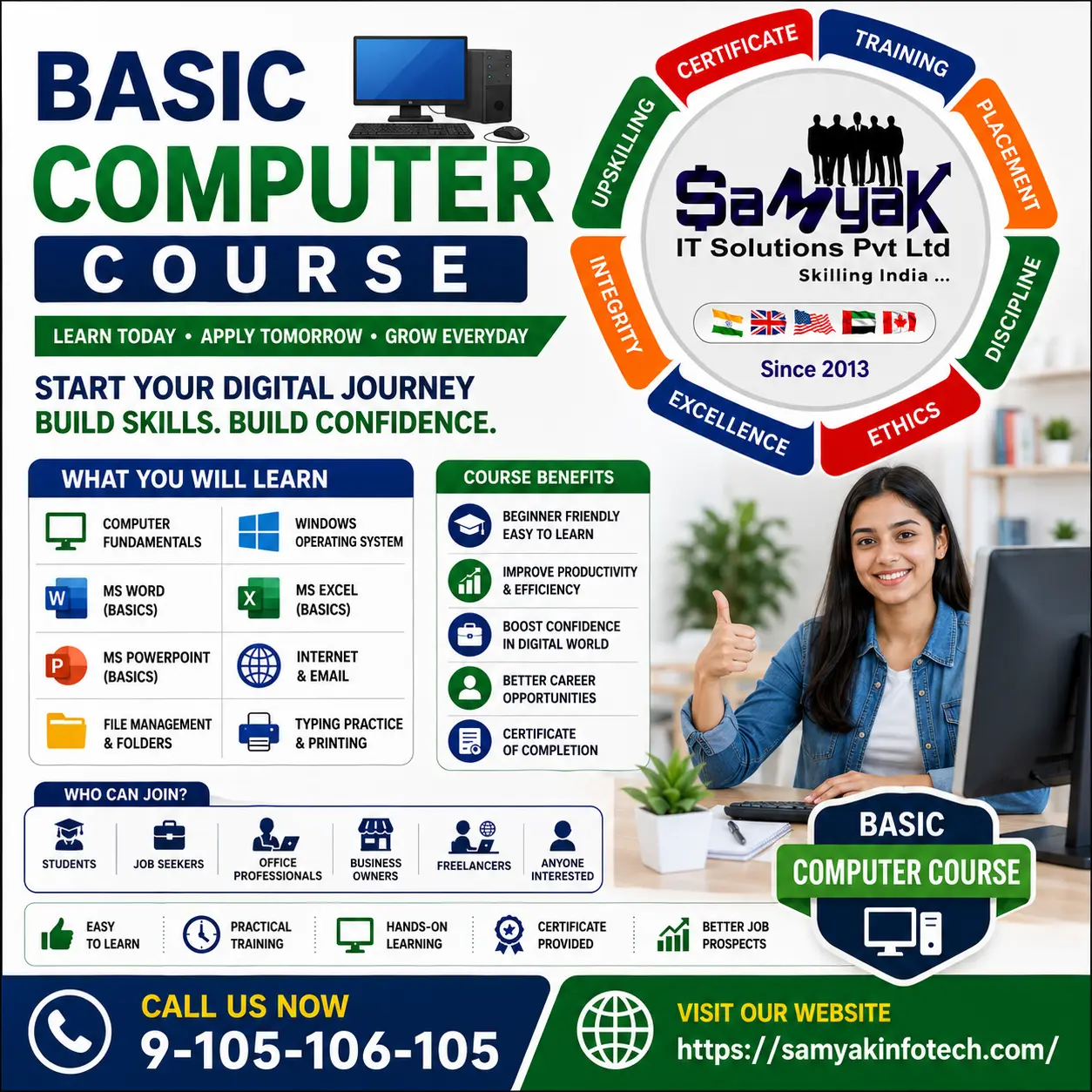
The Basic Computer Course starts with an introduction to computers and their components. Students learn about hardware devices such as keyboards, monitors, CPUs, printers, scanners, storage devices, and other peripherals. Understanding computer hardware helps learners become comfortable with technology and understand how computer systems function in everyday environments.
One of the major advantages of joining a Basic Computer Course is that it builds digital confidence. Many people hesitate to use computers because they lack proper guidance and training. This course removes that fear by introducing computer concepts in a simple and practical manner. Students gradually develop the confidence required to operate computers independently for personal, academic, and professional purposes.
The Basic Computer Course also focuses heavily on the Microsoft Windows operating system, which is one of the most widely used operating systems in the world. Students learn how to navigate Windows, manage files and folders, customize settings, install software, and perform basic system operations. These skills are essential because Windows-based computers are commonly used in offices, schools, colleges, and businesses.
Microsoft Office applications are another important part of the Basic Computer Course. Students learn how to create documents using Microsoft Word, perform calculations and maintain records using Microsoft Excel, and create presentations using Microsoft PowerPoint. These applications are considered standard workplace tools and are frequently used in professional environments.
Document creation skills taught in the Basic Computer Course help students prepare letters, resumes, reports, applications, assignments, and professional documents. Learning Microsoft Word improves productivity and enables users to create well-formatted documents for various purposes.
Spreadsheet management is another key area covered in the Basic Computer Course. Students learn basic Microsoft Excel concepts such as data entry, formatting, simple formulas, tables, and record management. Excel skills are highly valuable because businesses use spreadsheets extensively for reporting, calculations, and data management.
Presentation creation using Microsoft PowerPoint is also included in the Basic Computer Course. Students learn how to create slides, add images, design presentations, and communicate ideas effectively. Presentation skills are useful for education, business meetings, training sessions, and professional communication.
Internet usage and online communication are major topics covered in the Basic Computer Course. Students learn how to browse websites, search for information online, create email accounts, send and receive emails, download files, and use online services safely. Internet skills are essential because modern businesses, educational institutions, and government services increasingly operate through digital platforms.
The Basic Computer Course also introduces students to online safety and cybersecurity awareness. Learners understand the importance of strong passwords, safe browsing practices, email security, and protecting personal information online. These skills help individuals use technology safely and responsibly.
One of the strongest benefits of the Basic Computer Course is its practical learning approach. Students work on real-world exercises involving document creation, spreadsheet management, internet browsing, email communication, and file organization. Practical training helps learners gain hands-on experience and improve confidence in using computers effectively.
The Basic Computer Course is highly beneficial for job seekers because basic computer skills are now required for most entry-level and office-based jobs. Employers frequently expect candidates to understand Microsoft Office, email communication, internet usage, and computer operations. Completing this course significantly improves employability and career prospects.
Business owners and entrepreneurs can also benefit from the Basic Computer Course. Computer skills help manage customer records, invoices, business reports, communication, online marketing, and administrative tasks. Entrepreneurs who understand computers can improve operational efficiency and manage business activities more effectively.
The Basic Computer Course is also suitable for students preparing for higher education and competitive examinations. Many educational institutions require students to submit digital assignments, conduct online research, and use presentation software. Computer literacy therefore plays a crucial role in academic success.
Another major advantage of the Basic Computer Course is that it serves as a foundation for advanced computer learning. Students who complete this course can easily progress to Advanced Excel, Graphic Designing, Digital Marketing, Web Development, Programming, Accounting Software, Data Analytics, and various other professional courses.
The demand for computer-literate professionals continues growing because digital transformation is affecting every industry. Businesses now require employees who can work efficiently with computers, manage information digitally, and communicate through online platforms. Individuals with basic computer knowledge enjoy greater career flexibility and employment opportunities.
The Basic Computer Course also improves productivity in everyday life. Learners can use computers for online banking, government services, bill payments, document preparation, communication, education, shopping, and information access. These practical applications make computer literacy an essential life skill in the modern world.
Freelancing opportunities are also available for individuals with basic computer skills. Tasks such as data entry, document formatting, online research, virtual assistance, and administrative support can often be performed remotely, providing additional income opportunities.
The Basic Computer Course is suitable for school students, college students, graduates, job seekers, office employees, homemakers, entrepreneurs, and senior citizens. Even individuals with no prior computer experience can learn effectively because the course begins with fundamental concepts and gradually progresses toward practical applications.
Organizations across industries value employees who can adapt to technology and perform digital tasks efficiently. Basic computer knowledge helps individuals remain competitive in the modern workforce and prepares them for future technological advancements.
If you want to improve your digital literacy, gain confidence in using computers, increase your employability, or prepare for a technology-driven future, then enrolling in a Basic Computer Course can be an excellent decision. The course provides practical computer knowledge, workplace-ready skills, and a strong foundation for advanced technical learning.
This Basic Computer Course is designed to help students become confident computer users by combining operating system knowledge, Microsoft Office training, internet skills, email communication, file management techniques, and practical digital literacy concepts. Whether your goal is personal development, academic success, professional growth, or career advancement, this course provides the essential skills required to succeed in today’s digital world.






 Placement Statistics
 Next Batch:New batch starts every month. Enroll early to secure your seat.
 Course Duration:1.5 Months (Flexible timings available)
 Eligibility:
 Tools:
 Modes of Training:Online Classes/Offline Training (at selected centers)
 Projects:Available