About This Course
The MS Access Training Course is one of the most useful professional courses for students and working professionals who want to learn database management, office automation, and data handling skills. In today’s digital business environment, organizations manage large amounts of information related to customers, employees, products, accounts, sales, inventory, and operations. Proper data organization and database management are extremely important for maintaining efficiency and improving business productivity. This MS Access Training Course is specially designed to help students understand database concepts and learn how to create, manage, and automate databases using Microsoft Access.
Microsoft Access is one of the most widely used database management tools for small and medium-sized businesses, offices, educational institutions, and administrative departments. It allows users to store, organize, analyze, and retrieve data efficiently through tables, forms, queries, and reports. The MS Access Training Course provides practical knowledge of how databases work and how organizations use Microsoft Access for managing business information and improving workflow automation.
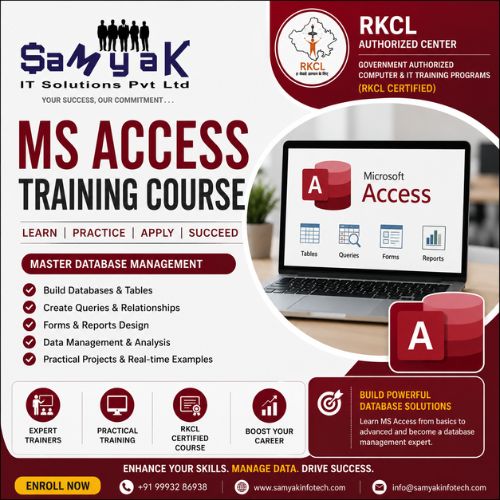
The MS Access Training Course focuses on practical learning and real-world office database management techniques. Students learn how to create databases, design tables, manage records, build queries, generate reports, create forms, and automate tasks using Microsoft Access tools. The course starts from database fundamentals and gradually moves toward advanced data management and automation concepts.
One of the biggest advantages of joining an MS Access Training Course is that database management skills are useful in almost every industry. Businesses, hospitals, schools, retail companies, government offices, banks, and service providers all require proper data management systems. Professionals with MS Access knowledge can efficiently handle records, organize data, generate reports, and support office operations.
The MS Access Training Course introduces students to relational database concepts and teaches how different tables are connected using relationships. Students learn how to create linked databases that improve data accuracy and reduce duplicate information. Understanding relational databases is important because modern business systems depend heavily on structured data management techniques.
Queries are one of the most important topics covered in the MS Access Training Course. Students learn how to search, filter, analyze, and retrieve specific information from databases using queries. Queries help businesses generate useful insights, prepare reports, track records, and improve decision-making processes. Learning query management improves analytical and data-handling abilities significantly.
The MS Access Training Course also focuses on forms and report creation. Forms help users enter and manage data easily, while reports help organizations present information professionally. Students learn how to create user-friendly forms, generate customized reports, and improve office data management systems using Microsoft Access features.
Automation is another important feature covered in the MS Access Training Course. Students learn how to use macros and automation tools to simplify repetitive tasks and improve office productivity. Automation reduces manual work, minimizes errors, and helps organizations manage operations more efficiently. Professionals with automation knowledge are highly valuable because businesses continuously look for ways to improve efficiency.
SQL basics are also included in the MS Access Training Course because Structured Query Language (SQL) is widely used in database systems. Students learn basic SQL commands for managing, filtering, and retrieving data from databases. Understanding SQL concepts provides a strong foundation for learning advanced database technologies in the future.
The MS Access Training Course is highly beneficial for office employees, administrative staff, MIS executives, data management professionals, and students preparing for office-based careers. Many organizations require employees who can manage records, organize databases, and create reports effectively. MS Access skills improve employability and increase career opportunities in administrative and data management roles.
Another major advantage of the MS Access Training Course is its practical office application. Students learn how businesses use databases for customer management, inventory tracking, employee records, billing systems, sales management, and operational reporting. Practical examples help students understand how databases support business activities in real-world environments.
The MS Access Training Course also helps students improve data organization and analytical skills. Managing databases requires accuracy, logical thinking, and proper information structuring. This course develops attention to detail and professional data management capabilities that are valuable in office environments.
Database reporting is another important area covered in the MS Access Training Course. Organizations often require reports for sales analysis, employee performance, customer records, financial summaries, and inventory management. Students learn how to generate professional reports and organize business information systematically using MS Access tools.
The demand for database management skills continues increasing because businesses depend heavily on digital record management and office automation systems. Companies prefer professionals who can manage data efficiently, maintain organized records, and support operational workflows using database software.
The MS Access Training Course follows a practical project-based learning approach where students work on database creation exercises, query-building tasks, office management projects, report generation assignments, and automation activities. Practical learning helps students gain confidence and improves their ability to handle real database management tasks professionally.
Another important benefit of the MS Access Training Course is that it serves as a foundation for advanced database technologies. Students who understand Microsoft Access can later learn SQL Server, MySQL, Oracle, PostgreSQL, and other advanced database systems more easily. This makes the course useful for long-term career development in IT and database management fields.
The MS Access Training Course is suitable for beginners, office employees, administrative professionals, commerce students, graduates, job seekers, and anyone interested in database management or office automation. Even students without prior technical knowledge can learn effectively because the course starts with basic concepts and gradually moves toward advanced database management techniques.
The course also improves workplace productivity because organized data management helps businesses save time and reduce operational errors. Employees who know how to use MS Access efficiently often become valuable team members because they can manage office records and generate reports professionally.
Small businesses and startups also use Microsoft Access because it provides a cost-effective solution for managing business data without requiring expensive enterprise database systems. Students who complete the MS Access Training Course can support small business operations and database administration tasks effectively.
Freelancing and office support opportunities are also available for professionals with database management skills. Many businesses hire database support professionals for data organization, report generation, office management systems, and record maintenance tasks.
If you are interested in office management, data organization, database systems, administrative operations, or information management, then joining an MS Access Training Course can be an excellent career decision. The course offers valuable office skills, practical database knowledge, strong career support, and long-term professional benefits across multiple industries.
This MS Access Training Course is designed to help students become industry-ready database management professionals by combining practical training, office automation concepts, reporting techniques, database management skills, and real-world business applications. Whether your goal is to work in office administration, data management, reporting operations, or business support roles, this course provides the right foundation for professional growth and career success in database and office management fields.






 Placement Statistics
 Next Batch:New batch starts every 7th day, Enroll early to secure your seat.
 Course Duration:1 Month (Flexible timings available)
 Eligibility:
 Tools:
 Modes of Training:Online Classes/Offline Training (at selected centers)
 Projects:Available