





📞 +91-7413825777 | +91-9105106105 | +91-7413873777
FB X IG YT

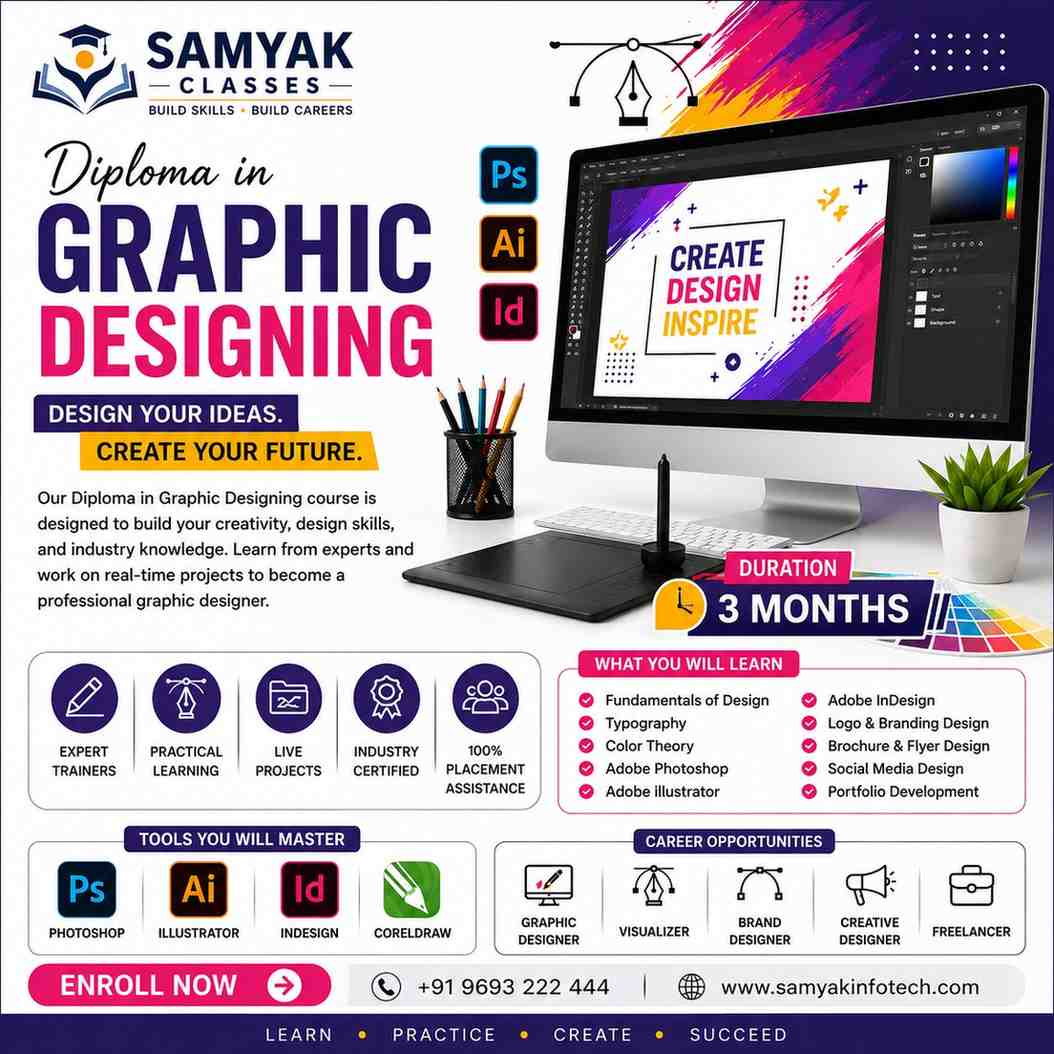
Diploma in Graphic Designing - Graphic Design Course

Kickstart your creative career with the best Graphic Designing Course at Samyak Classes. Learn modern design, typography, and branding through practical, industry-oriented training. Ideal for beginners and freelancers, our expert-led classes prepare you for top success in the visual design industry.

Course Overview

  • Next Batch Next Batch:New batch starts every 7 Days . Enroll early to secure your seats.

  • Course Duration Course Duration:6 Months including Lab Practice

  • Eligibility Eligibility:
    • Undergraduates
    • Graduates
    • Working Professionals
    • Creative Enthusiasts
  • Tools Tools:
      5
  • Modes of Training Modes of Training:Offline Classroom Sessions (at all Samyak branches) / Instructor-led, Project-based Learning

  • Projects Projects:Available
CTC

₹6.5 LPA+

Average CTC

Students

39000+

Naukri, LinkedIn, Glassdoor

Mentors

3+

Industry Mentors

Join Our 100% Job Assistance

Diploma in Graphic Designing Course

  • Learn Graphic Designing course, graphic design fundamentals, color theory, and visual communication principles.
  • Master photo editing, vector illustration, and layout design using professional software.
  • Create branding materials — logos, business cards, brochures, and packaging designs.
  • Design social media posts, advertisements, and digital banners for online marketing.
  • Build a strong portfolio with real-world creative projects.
  • Earn your Graphic Designing Diploma Certification and become a skilled creative professional.

Overview of Graphic Designing Course

Choosing a professional graphic designing course is the first step toward a creative career in the visual arts. This program is built for students and artists who want to learn how to communicate ideas through color, shapes, and layouts. By joining a graphic designing course, you will learn how to use industry-standard tools to create stunning visuals for brands and social media. Our graphic designing institute focuses on the practical skills you need to build a professional portfolio.

Whether you are looking for graphic designing courses near me for in-person training or searching for graphic designing classes, we provide a clear roadmap for your success. Our graphic designing institute near me offers a creative environment where you can work on real-world projects and get feedback from experts. For those who want to start their journey today, our graphic design classes near me are designed to fit your schedule and help you master the basics quickly.

What You’ll Learn From Graphic Designing Course

Learn color theory, design principles, and creative composition.
Edit images and create professional graphics using Photoshop.
Design logos, icons, and vector art in Adobe Illustrator and CorelDRAW.
Build print-ready layouts for brochures, magazines, and ads in InDesign.
Create social media posts and web graphics using modern design tools.
Earn your Graphic Design Course with certification to launch your creative career.

Who Should Take this Course

Undergraduates
Graduates
Working Professionals
Job Seekers
School Students (10th and above)
Creative Professionals

Job Roles For Course

Visual Designer
UI/UX Designer
Creative Artist
Brand Identity Designer
Freelance Designer

Tools Covered In Course

Adobe Photoshop (Image Editing & Composition)
Adobe Illustrator (Vector Design & Branding)
CorelDRAW (Layout & Print Design)
Adobe InDesign (Publishing & Print Media)
Canva / Figma (Quick Design & Web Layout Tools)
Figma

What's included ?

Live Project

Theory doesn’t help anyone in professional life, professional Courses are better learnt by experimenting.

Global Certificates

Certifications like Microsoft, Google, HP, Cisco, EC-Council make a huge difference in placement.

Advanced Contents

Contents are based upon the latest trends in IT industry nd as per the recommendations of IT Guys.

Multi Location

Good opportunities need to spread geographically, so is Samyak for the benefit of professional and job seekers.

Job Oriented

All courses are as per industry needs and with projects/ examples, which make Samyak’s approach job oriented.

Placement Assistance

Once the course is completed from Samyak, there is a dedicated team to guide for interview and placements.

Graphic Designing Diploma Course Syllabus

1. CorelDRAW Advanced (1.5 Months)

  • Introduction & App Intro – What is Computer Graphics, role of CorelDraw in Computer Designing.
  • Design Concept & Drawing Tools – Concept of Colours / Design, Outline / Curve, drawing tools (Line, Rectangle, Circle, Polygon, Star, Pen, 3Point Curve).
  • Modification & Productive Tools – Outline / Curve editing, Shape tool (Weld, Trim, Intersection, Fillet, Extend, Chamfer, Blend), Copy methods, Alignment, Join/break methods, Power Clip, Shaping, Symbols, Selection Methods.
  • Fill objects & Text – Uniform / Fountain / Texture / Pattern / Postscript / Mesh / Smart Fill, Creating and Editing, Artistic / Paragraph / Text Editing / Text Effects, Convert text to curve.
  • Effects, Bitmap & Output – Blend / Contour / Drop Shadow / Distort / Envelope / Extrude / Transparency / Lens / Bevel / Artistic Media, working with imported Raster images, Image Effects / Image Editing, Exporting and Printing Features.

2. Photoshop Advanced (1.5 Months)

  • Interface & Layout – Concept of Raster, role of Adobe Photoshop in Raster Designing, Color / File Formats, Viewing and Navigation, Rulers and Guides, Canvas / Image Size and Resolution, Using and modification.
  • Selection & Layer – Methods of selection, Selection Tools, Selection Menu, Path Selection, Using Layers, Layer Properties, Layer blending.
  • Brush, Creation & Edition – Effects, Using / Saving / Customizing, Vector / Raster Creation, Cut a part of an Image, Merge two Image parts, Working with Image Editing.
  • Text & Fill – Character / Paragraph, Creating and Editing, Colour / Content Aware / Pattern History / Gradient / Paint bucket.
  • Effect, Image & File Handling – Healing / Blur / Stamp / History / Dodge, Adjustment / Filter / Mode, Save / Save as / Export / Import, Projects, Tips & Tricks.

3. Adobe Illustrator – Page 1 (1.5 Months)

  • Introduction & Selections – Creating a new document, page tool, selection tools, direct selection, group selection, selection lassos, magic wand selection.
  • The pen tools, Layers and grouping – Pen introduction, convert anchor point, additional and sub anchors, cut and joining anchors, layer introduction, organizing layers, selecting layers, grouping layers, duplicating layers, sub-layers.
  • The stroke & Type – Stroke basics, caps and joining, dashed line, type tool, area type tool, path type, vertical type tool, wrap text, creating outlines, character palette, formatting paragraphs, type transformation.
  • Shape objects & Transformations – Rectangle tool, ellipse tool, polygon tool, star tool, flare tool, scale tool, rotation tool, reflect tool, twist tool, sheer tool, reshape tool, re-positioning art.
  • Aligning, Distributing & Compound path – Object alignment, snap, snap tracking, clipping masks, clipping paths.
  • Applying color & Tools – Color introduction, color palette, swatches palette, basic pencil tool, smooth tool, eraser tool, paintbrush introduction, calligraphic brush, art brush, pattern brush, loading and saving brushes.
  • Gradients, Transparency and masking – Gradients introduction, editing gradients, gradient libraries, object opacity, transparency clipping.

4. Adobe Illustrator – Page 2

  • Enveloping, meshes, Smart guides & rulers – Envelope introduction, using the warp, using the mesh, text distortions, options, rulers introduction, creating guides, smart guides, extruding text, smart guide options, grids, measure and info tools.
  • Scissor, knife, Pathfinder & Liquefy – The scissor tool, the knife tool, pathfinder shape modes, using pathfinders, liquefy tools, more lignifications.
  • Appearance, styles & Filters – Styles introduction, multiple strokes and fills, converting effect to shape, group appearance, distort and transform, pathfinder effects, rasterizing, document rasterization, stylize effects, pixel effects, warp effects, moving and linking styles, sticky styles, reducing and clearing styles, making and saving styles, over-riding character color, filter introduction, creating trim marks, pen and ink.
  • The blend tool, Charts and graphs – Blending introduction, blending multiple objects, creating graphs, changing the graph type, coloring graphs, styling type, column designs, value divisions, design markers, other line graphs.
  • Graphics & Slicing – RGB and screen graphics introduction, snap to pixel, moving snap pixel, saving for the web, viewing for the web, web prep overview, sizing images, saving as jpeg, matting a jpeg, saving as gif, making a lossy gif, gradients and gif, saving as swf, swf problems, saving as svg, svg effects, creating slices, slice options, optimizing slices.
  • Image maps, Symbols & Integration – Creating image maps, saving and previewing, symbol introduction, creating custom symbols, building blocks, symbol sprayer, symbol shifter tool, symbol scruncher, symbol sizer, symbol spinner, symbol stainer, symbol screener, symbol styler, saving default symbols, placing images, linking, photoshop layers, type for photoshop, photoshop shapes.

5. Adobe InDesign

  • Creating a New Document, Exploring the In - Design Application Folder, Exploring the Document Window.
  • Using Tools, Creating, Opening, and Saving Documents, Working with Pages and Layers, Creating Layout Standards.
  • Defining Colors, Tints, Gradients, Adding Frames, Shapes, and Lines, Manipulating Objects, Transforming Objects.
  • Applying Effects to Objects, Orchestrating Objects, Importing Text Files, Editing and Formatting Text, Creating Special Text Formatting.
  • Setting up Styles, Using Special Characters, Setting Up Tabs and Tables, Working with Footnotes, Indexes, and TOCs, Creating Multi document Projects.
  • Importing Graphics, Fitting Graphics and Frames Together, Preparing for Color Prepress, Printing Documents, Creating Prepress Files, Creating Web, Interactive PDF, and Flash Documents.

Key Features

  • Advanced Syllabus
  • Certified Faculties
  • Live Projects Based
  • International Certifications
  • 100% Placement Assistance

Job Roles

  • Graphic Designer
  • UI Designer
  • Layout Artist
  • Brand Identity Specialist
  • DTP Operator
  • Vector Illustrator

Program Highlights

  • Complete 6 - Month Graphic Designing Diploma covering specialized tools including Photoshop, CorelDraw, Illustrator, and InDesign.
  • Aligned with NSDC (National Skill Development Corporation) standards and official government skill frameworks.
  • Comprehensive concept - to-execution learning path covering vector illustrations, layout standards, raster manipulations, and print prepress strategies.
  • Hands - on portfolio creation with live projects, commercial design tasks, and dynamic document production blueprints.

What is an Ultimate Career Choice?

Massive Market
Massive Market

Learn skills that open doors to vast, growing markets worldwide, constantly increasing demand across industries.

High-Paying Jobs
High-Paying Jobs

Acquire in-demand expertise to command top salaries, and accelerate long-term financial growth .

Future-Proof Career
Future-Proof Career

Build adaptable, technology that keep your career relevant, and valuable in chaanging times.

Entrepreneurial Path

Gain practical tools, mindset and networks needed to launch ventures, create sustainable businesses.

Global Impact
Global Impact

Develop solutions and leadership that solve real-world problems, positively impacting communities.

Large Community
Large Community

Join a diverse, supportive community of learners, mentorship, opportunities, and lasting connections.

Be in the spotlight by getting certified!

A detailed overview of the course, including key topics, objectives, and module sequence.

Adobe Certificate

Adobe Certificate

Internationally recognized certificate for professional achievement.

Samyak Certificate (included)

Samyak Certificate (included)

ISO 9001:2008 certified training recognized globally.
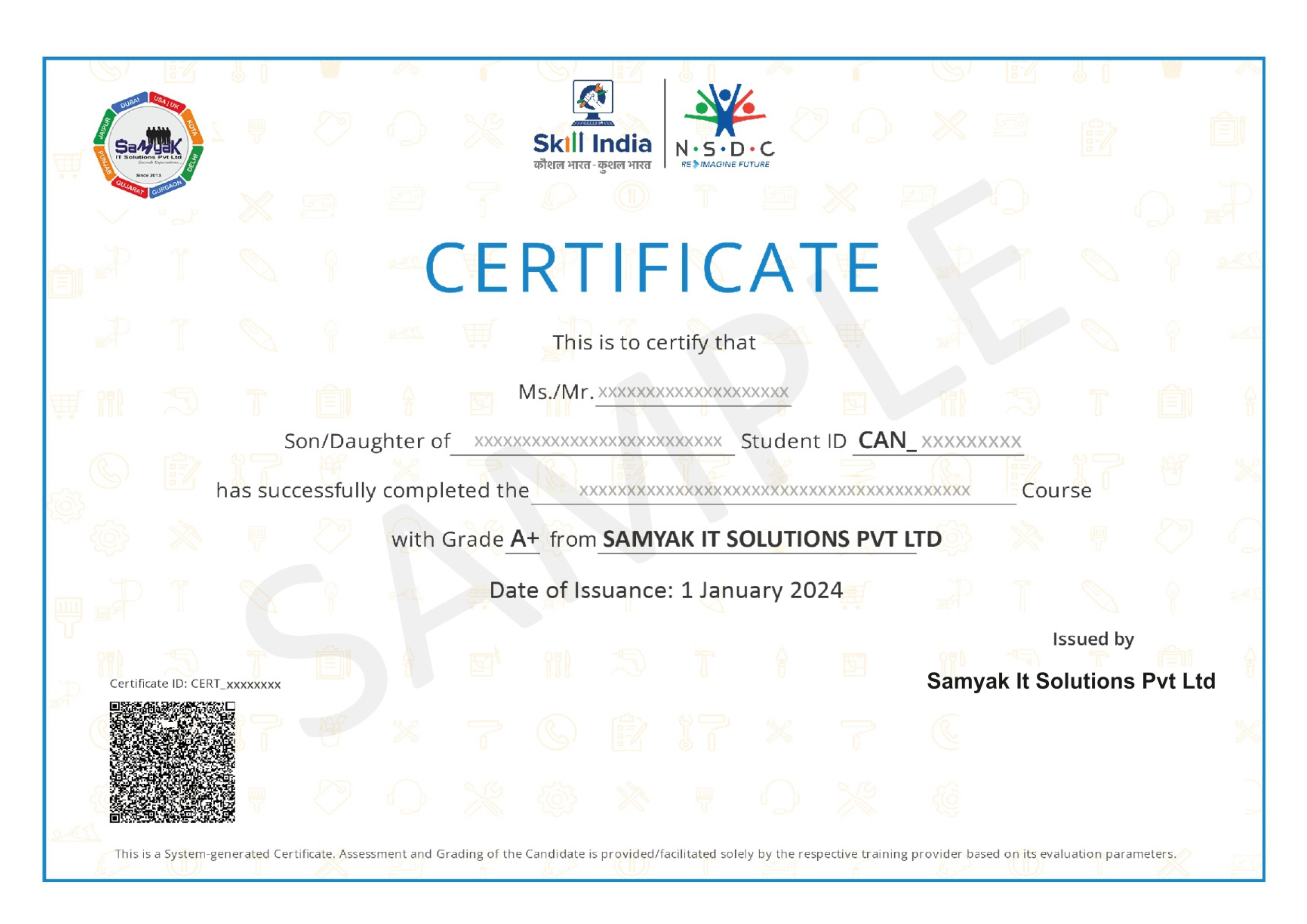
NSDC Certificate (included)

NSDC Certificate (included)

Govt of India-backed certification enhancing employability.
Get Certified
graphic designing courses

About This Course

The Graphic Designing course is one of the most popular and high-demand creative career courses in today’s digital world. Every business, company, startup, brand, and organization needs professional graphic designers to create visually attractive content for marketing, branding, advertising, social media, websites, and promotional campaigns. As digital marketing and online businesses continue growing rapidly, the demand for skilled graphic designers is increasing across multiple industries. This Graphic Designing course is specially designed for students who want to build professional creative skills and establish a successful career in the design industry.

The Graphic Designing course focuses on practical learning and creative skill development. Students learn how to create professional designs for social media posts, advertisements, logos, banners, brochures, websites, business cards, packaging, and branding materials. The course covers both basic and advanced design concepts so that students can understand modern industry requirements and become job-ready creative professionals.

Graphic design is not only about creating attractive visuals. It is a combination of creativity, communication, branding, color psychology, typography, marketing understanding, and visual storytelling. This Graphic Designing course teaches students how to communicate ideas effectively through design and create visuals that attract customer attention and improve brand identity.

The Graphic Designing course includes training in industry-standard design software such as Adobe Photoshop, Adobe Illustrator, CorelDRAW, Canva, Adobe InDesign, Figma, and Adobe XD. These tools are widely used in advertising agencies, digital marketing companies, media houses, branding agencies, print industries, and creative studios. Learning professional design tools increases job opportunities and helps students work on real commercial projects confidently.

One of the biggest advantages of joining a Graphic Designing course is the wide range of career opportunities available in the creative industry. After completing this Graphic Designing course, students can work as Graphic Designers, Visual Designers, Social Media Designers, Creative Designers, UI Graphic Designers, Brand Identity Designers, Motion Graphic Designers, and Freelance Graphic Designers. Many students also start their own freelance businesses or creative agencies after gaining professional design skills.

The Graphic Designing course follows a practical project-based learning approach where students work on real design assignments, creative projects, branding concepts, advertising designs, and portfolio development tasks. Practical learning helps students improve creativity, design thinking, and software handling skills. Students gain confidence by working on live projects similar to real industry work environments.

Branding and marketing design are important parts of the Graphic Designing course. Students learn how businesses use visual communication to build brand identity and attract customers. Designing logos, brand guidelines, promotional materials, packaging designs, and social media creatives are essential skills for modern graphic designers. This course helps students understand how design impacts customer psychology and business growth.

Typography and color theory are also important topics covered in the Graphic Designing course. Students learn how fonts, colors, layouts, and visual hierarchy influence user engagement and brand perception. Understanding typography and color combinations helps designers create professional and visually balanced designs for digital and print media.

Social media marketing has increased the demand for graphic designers significantly because brands continuously need attractive content for platforms like Instagram, Facebook, LinkedIn, YouTube, and Pinterest. The Graphic Designing course teaches students how to create engaging social media posts, advertising creatives, promotional banners, reels thumbnails, YouTube thumbnails, and digital marketing materials according to current design trends.

The Graphic Designing course also covers print media designing techniques. Students learn how to create brochures, pamphlets, flyers, magazines, business cards, product packaging, posters, and flex banner designs used in print advertising and offline marketing campaigns. Understanding print design standards is important for working with printing companies and advertising agencies.

Another major advantage of the Graphic Designing course is freelancing opportunities. Graphic design is one of the most demanded freelance skills worldwide. Businesses regularly hire freelance designers for logo creation, social media graphics, website visuals, branding materials, and promotional designs. Students who complete this Graphic Designing course can work independently on platforms like Fiverr, Upwork, Freelancer, and PeoplePerHour to earn income through creative projects.

The Graphic Designing course is also beneficial for entrepreneurs and business owners who want to manage their own branding and promotional content professionally. Understanding graphic design helps businesses improve marketing quality, customer engagement, and brand visibility in competitive markets.

UI and web graphics designing are additional important areas introduced in the Graphic Designing course. Students learn how to create website layouts, mobile app graphics, interface elements, and digital user experiences using tools like Figma and Adobe XD. Modern businesses require professional digital interfaces, and UI graphic skills increase career opportunities in the technology and digital product industries.

Portfolio development is another important component of the Graphic Designing course. A strong design portfolio is essential for securing jobs, freelance clients, internships, and professional projects. Students create multiple professional-quality designs during the course that can be showcased during interviews and client meetings.

The Graphic Designing course also helps students improve creativity, visual communication skills, attention to detail, and design presentation abilities. Graphic designers must understand client requirements, analyze target audiences, and create visually effective solutions. This course develops both technical and creative thinking skills necessary for professional success.

The demand for graphic designers continues growing because businesses increasingly rely on digital marketing, social media advertising, branding, and visual content creation. Every company now requires creative professionals who can improve brand communication and attract customers through impactful visuals. This makes graphic design one of the most stable and future-oriented creative career options.

The Graphic Designing course is suitable for beginners, students, freelancers, working professionals, artists, marketing students, and creative individuals interested in design and visual communication. Even students without prior design experience can learn effectively because the course starts with design fundamentals and gradually moves toward advanced creative techniques.

Modern graphic designing also includes digital content creation for YouTube, e-commerce platforms, online advertising campaigns, and social media promotions. Businesses constantly need fresh and creative content to stay competitive in the online market. This creates continuous opportunities for skilled graphic designers in digital industries.

The Graphic Designing course also introduces students to modern design trends, branding strategies, advertising concepts, and creative campaign development techniques. Understanding modern design trends helps students create industry-relevant projects and maintain professional competitiveness in the creative market.

If you are passionate about creativity, visual arts, branding, social media, advertising, and digital content creation, then joining a Graphic Designing course can be an excellent career choice. The field offers creative freedom, freelancing flexibility, strong job demand, remote work opportunities, and entrepreneurship possibilities.

This Graphic Designing course is designed to help students become industry-ready creative professionals by combining practical training, software expertise, branding knowledge, design theory, and real-world project experience. Whether your goal is to work in advertising agencies, digital marketing companies, branding studios, media organizations, or become a freelance designer, this course provides the right foundation for long-term career growth and professional success in the creative industry.

Exclusive Career Support Programs at Samyak Computer Classes

At Samyak Computer Classes, we don’t just teach courses — we help students build successful careers. Along with professional training, we provide FREE Career Development & Placement Support Programs to make every student industry-ready.

Free Personality Development Sessions

Conducted Every Saturday

Build the confidence required to succeed in today’s professional world through our weekly FREE Personality Development Sessions.

  • Communication Skills Improvement
  • Confidence & Public Speaking
  • Interview Communication
  • Professional Grooming
  • Corporate Etiquette

Free Placement Readiness Program

Conducted Every Second Saturday

Our specialized Placement Readiness Sessions are designed to prepare students for real-world job opportunities.

📄 Resume Preparation

Learn how to create a professional and recruiter-friendly resume.

🌐 Online Job Portal Awareness

Guidance on using online job platforms effectively to find better opportunities.

🎯 Mock Interview Sessions

Practice real interview scenarios with expert feedback.

Free Placement Drive

Conducted Every Third Saturday

Samyak organizes FREE Placement Drives exclusively for Samyak students to connect them with hiring companies.


  • Direct Interview Opportunities
  • Industry Exposure
  • Career Guidance & Support
  • Better Job Opportunities
  • Professional Networking

Our Students Placed In Top Companies

×

Application Form