📞 +91-7413825777 | +91-9105106105 | +91-7413873777
FB X IG YT

Advanced Excel VBA (Macros)

The Advanced Excel VBA (Macros) course is a professional training program designed for students and working professionals. This comprehensive Excel VBA training helps learners master Excel macro course modules, VBA macros tutorial concepts, and learn VBA automation techniques to boost daily productivity.

Course Overview

  • Next Batch Next Batch:New batch starts every month. Enroll early to secure your seat.
  • Course Duration Course Duration:1 Month (Flexible timings available)
  • Eligibility Eligibility:
    • Students
    • Finance professionals
    • Analysts
    • Trainers
    • Anyone aiming to master Excel VBA Macros
  • Tools Tools:
      5
  • Modes of Training Modes of Training:Online Classes/Offline Training (at selected centers)
  • Projects Projects:Available
CTC

₹9 LPA+

Average CTC

Students

21000+

Naukri, LinkedIn, Glassdoor

Mentors

4+

Industry Mentors

Join Our 100% Job Assistance Program

Advanced Excel VBA (Macros) Course

  • Enroll in our comprehensive Excel VBA Training and master the power of spreadsheet automation.
  • Learn core programming structures, syntax, and logic building through this complete VBA Macros Tutorial module.
  • Step into our specialized Excel Macro Course and Learn VBA Automation to save hours of manual work.
  • Design interactive UserForms, custom UI controls, and dynamic dashboards for professional data management.
  • Gain expertise in writing Custom Functions (UDFs) and robust error-handling programs to build crash-free tools.
  • Connect Excel seamlessly with External Databases, SQL, and other MS Office applications like Outlook and Word.
  • Earn your industry-recognized Advanced Excel VBA Certification along with complete Job Placement Assistance.

Overview of Advanced Excel VBA (Macros) Course

Choosing an Excel VBA Training program is the best way to master spreadsheet automation and boost your workplace productivity. Visual Basic for Applications (VBA) is the core tool used to control Excel and automate repetitive daily workflows. This program is built to help you think logically, build custom automation tools, and manage data efficiently. If you want to scale your data analysis skills, this specialized Excel macro course provides the practical edge needed for real-world corporate challenges.

Through real-world business projects, learners gain hands-on experience in writing robust VBA scripts, integrating databases, and designing automated dashboards. We focus on teaching macro structures, dynamic user forms, and advanced error handling to prepare you for high-demand analytical roles. By the end of this course, you’ll earn your professional certification and be ready to excel in your career as an MIS Analyst, Data Automation Expert, or Business Intelligence Executive.

What You’ll Learn From This Course


Learn VBA Automation from scratch to write and debug clean code for complex Excel processes.

Build interactive, user-friendly dashboards using dynamic forms, buttons, and UI controls.

Follow our comprehensive VBA Macros Tutorial to filter, sort, and manage large corporate data sets efficiently.

Integrate Excel seamlessly with external Access databases, Outlook emails, and SQL servers.

Develop reusable custom functions (UDFs) and powerful automation scripts for reporting.

Earn your industry-recognized Advanced Excel VBA Certification to become a certified automation expert.

Who Should Take this Course

Undergraduates
Graduates
Job Seekers
Working Professionals
MIS Executives

Job Roles For Course

VBA Developer
MIS Executive
Automation Specialist
Financial Analyst
Reporting Executive
Data Analyst

Tools Covered In Course

Microsoft Excel
VBA Programming
Macro Recording
User Forms
Pivot Tables

What's included ?

Live Project

Theory doesn’t help anyone in professional life, professional Courses are better learnt by experimenting.

Global Certificates

Certifications like Microsoft, Google, HP, Cisco, EC-Council make a huge difference in placement.

Advanced Contents

Contents are based upon the latest trends in IT industry nd as per the recommendations of IT Guys.

Multi Location

Good opportunities need to spread geographically, so is Samyak for the benefit of professional and job seekers.

Job Oriented

All courses are as per industry needs and with projects/ examples, which make Samyak’s approach job oriented.

Placement Assistance

Once the course is completed from Samyak, there is a dedicated team to guide for interview and placements.

Advanced Excel VBA (Macros) Course Syllabus

1. Understanding Security Levels & Functions

  • Module 1: Understanding Security Levels – Why security, security levels and its meaning.
  • Module 2: Functions – What is Function and Subroutine, writing functions using VBA Editor, and calling functions in other workbooks during comprehensive Excel VBA Training.

2. Recording Macros & Visual Basic Editor

  • Module 3: Recording Macros – Recording and running macros, storing macros in different books, creating buttons and assigning macros to them, and creating custom menus in this Excel macro course module.
  • Module 4: The Visual Basic Editor – Editing macros using VBA Editor, understanding the project explorer, exploring window properties, modifying code in the code window, and debugging code.

3. VBA Programming Fundamentals

  • Variables, data types, and constants to Learn VBA Automation from scratch.
  • Arrays and Object Variables within a structured VBA macros tutorial framework.
  • Conditional structures (If... Then, Select Case)
  • Logical Operators and Looping constructs (For loops, Do loops, while... Wend)
  • Built - in functions and creating Subroutines

4. Excel Object Model & Automation

  • Working with object properties, events, and methods for Advanced Excel VBA (Macros) automation workflows.
  • Application objects, Workbook objects, Worksheet objects, and Range objects
  • Charts objects and Pivot table objects

5. User Forms & Interface Customization

  • Creating forms and managing form events
  • Creating custom menus and toolbars
  • Creating custom Add - ins

6. Cross-Application Integration

  • Module 8: Working with other applications – Automating and integrating workflows with Microsoft Word, PowerPoint, and external tools to complete your full Excel VBA Training.

Key Features of Advanced Excel VBA (Macros) Course

  • Advanced Syllabus matching global Excel macro course standards
  • Certified Faculties with real corporate automation experience
  • Live Projects Based learning environment to Learn VBA Automation practically
  • International Certifications upon completion
  • 100% Job Placement Assistance with top MNCs

Job Roles

  • VBA Developer
  • MIS Automation Specialist
  • Data Analyst
  • Reporting Analyst
  • Excel Automation Consultant
  • Business Intelligence Executive

Program Highlights

  • Master complete Macro automation using a structured 8 - module approach built for productivity and step-by-step Excel VBA Training.
  • Design custom interactive interfaces with User Forms, personalized ribbons, and integrated toolbar buttons.
  • Learn core programming structures, logical operators, variables, and follow a detailed VBA macros tutorial for debugging routines.
  • Integrate cross - application automation workflows targeting Word, PowerPoint, and complex Advanced Excel VBA (Macros) architectures seamlessly.

What is an Ultimate Career Choice?

Massive Market
Massive Market

Learn skills that open doors to vast, growing markets worldwide, constantly increasing demand across industries.

High-Paying Jobs
High-Paying Jobs

Acquire in-demand expertise to command top salaries, and accelerate long-term financial growth .

Future-Proof Career
Future-Proof Career

Build adaptable, technology that keep your career relevant, and valuable in chaanging times.

Entrepreneurial Path

Gain practical tools, mindset and networks needed to launch ventures, create sustainable businesses.

Global Impact
Global Impact

Develop solutions and leadership that solve real-world problems, positively impacting communities.

Large Community
Large Community

Join a diverse, supportive community of learners, mentorship, opportunities, and lasting connections.

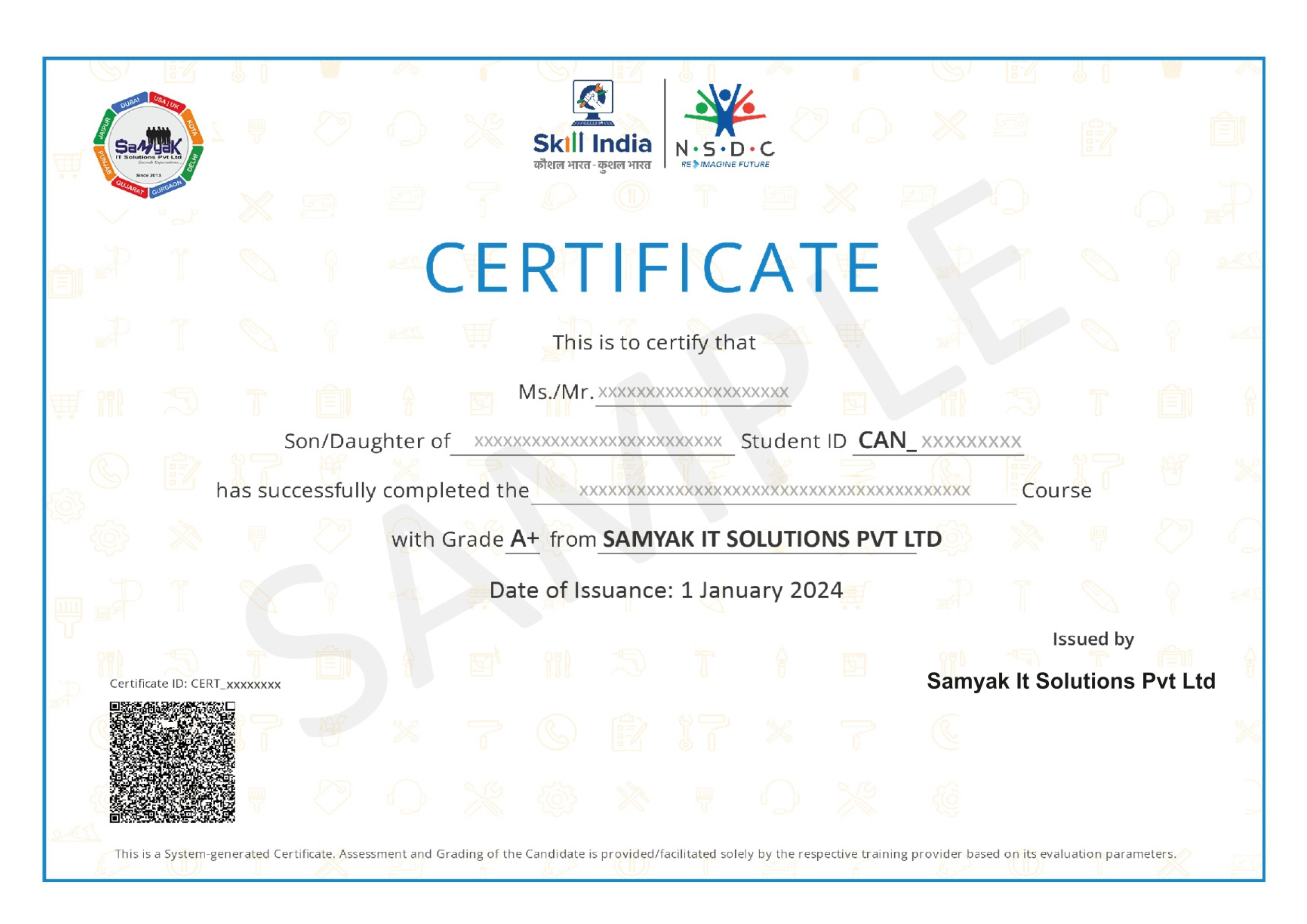
Be in the spotlight by getting certified!

A detailed overview of the course, including key topics, objectives, and module sequence.

Samyak Certificate (included)

Samyak Certificate (included)

ISO 9001:2008 certified training recognized globally.

NSDC Certificate (included)

NSDC Certificate (included)

Govt of India-backed certification enhancing employability.

Get Certified
Advanced Excel VBA (Macros)

About This Course

The Advanced Excel VBA (Macros) course is one of the most powerful professional training programs for students and working professionals who want to master Excel automation, VBA programming, and advanced data management techniques. In today’s business environment, companies handle massive amounts of data daily, and manual work consumes a significant amount of time and resources. Businesses now prefer automated systems that improve productivity, reduce errors, and simplify reporting processes. This Advanced Excel VBA (Macros) course is specially designed to help students learn advanced Excel automation and build professional skills in VBA programming and office workflow automation.

The Advanced Excel VBA (Macros) course focuses on practical learning and real-world automation techniques used in corporate environments. Students learn how to automate repetitive tasks, create dynamic reports, manage large datasets, develop automated dashboards, and improve office productivity using Excel VBA. VBA, which stands for Visual Basic for Applications, is a programming language used inside Microsoft Excel to create automation systems and customized business solutions.

The demand for Excel automation professionals is increasing rapidly because organizations across finance, banking, operations, HR, logistics, administration, and business management sectors rely heavily on Excel for reporting and data analysis. Companies now require professionals who can automate reports, reduce manual processing time, and improve workflow efficiency using advanced Excel tools and Excel VBA training.

One of the biggest advantages of joining the Advanced Excel VBA (Macros) course is that it combines advanced Excel skills with programming logic. Students not only learn formulas and reporting techniques but also understand how automation scripts are created to simplify complex business tasks. This makes professionals more valuable in organizations because automation directly improves operational productivity and saves time.

The Advanced Excel VBA (Macros) course starts with advanced Excel concepts and gradually moves toward VBA programming and automation development. Students learn advanced formulas, Pivot Tables, dashboards, data validation, conditional formatting, and dynamic reporting methods before moving into macro creation and VBA scripting concepts. The course structure is designed for both beginners and professionals who want to upgrade their technical office skills.

Macros are one of the most important topics covered in this specialized Excel macro course. Students learn how to record and customize macros to automate repetitive tasks such as report generation, data formatting, calculations, email automation, file management, and workflow processing. Macro automation helps businesses reduce human errors and improve efficiency significantly.

VBA programming is another major component of this advanced training. Students follow a structured VBA macros tutorial flow to learn how to write VBA code, create automated buttons, build user forms, handle events, create loops, manage conditions, and develop custom Excel applications. Understanding VBA programming allows professionals to create intelligent Excel-based automation systems according to business requirements.

The Advanced Excel VBA (Macros) course also focuses heavily on dashboard development and MIS reporting automation. Businesses require accurate reports for performance analysis, sales tracking, operations monitoring, financial management, and strategic planning. Students learn how to build interactive dashboards and automate reporting systems that help organizations make faster and better decisions.

Data handling and large dataset management are also important parts of the training. Students learn how to clean, organize, filter, process, and analyze business data efficiently when they learn VBA automation techniques. These skills are highly valuable because companies continuously manage large amounts of operational and financial information.

Another major advantage of completing this comprehensive Excel VBA training is the wide range of career opportunities available after completing the training. Students can work as VBA Developers, MIS Analysts, Excel Automation Specialists, Business Analysts, Reporting Analysts, Dashboard Developers, Data Analysts, and Process Automation Executives. Excel automation professionals are highly demanded because businesses constantly seek ways to improve productivity and reduce manual operations.

The Advanced Excel VBA (Macros) course is also highly beneficial for working professionals because automation skills improve workplace performance and career growth opportunities. Employees who can automate reports and simplify workflows often receive better responsibilities, promotions, and leadership opportunities within organizations.

Financial reporting and business analytics are additional areas covered in this Excel macro course. Finance teams, accounting departments, and business analysts heavily depend on Excel automation for budget reports, profit analysis, sales tracking, forecasting, and operational reporting. Students learn automation methods commonly used in corporate finance and business operations.

The Advanced Excel VBA (Macros) course also introduces students to database integration and SQL basics. Students learn how Excel interacts with databases and how automation tools can import and process information from external data sources. These skills improve technical understanding and provide a strong foundation for advanced business intelligence tools.

Practical learning is one of the strongest features of the course. Students follow an intensive VBA macros tutorial path to work on live projects, reporting assignments, automation tasks, VBA coding exercises, dashboard projects, and office workflow simulations. Practical implementation helps students gain confidence and understand how automation systems are used in real organizations.

The course also improves logical thinking and problem-solving abilities because anyone who wants to learn VBA automation requires analytical understanding and workflow planning. Students learn how to identify repetitive business tasks and develop automation solutions that improve operational efficiency.

This program is suitable for beginners, MIS executives, data analysts, finance professionals, office employees, business analysts, graduates, and working professionals who want to improve their technical office skills. Even students without programming experience can learn effectively because top training providers start from basic concepts and gradually move toward advanced automation development.

Modern businesses are rapidly adopting automation technologies to improve productivity and reduce operational costs. Professionals with Excel VBA training and automation skills are highly valued because they can optimize business workflows and reduce dependency on manual processes. This creates long-term demand and strong career opportunities in corporate sectors.

Freelancing opportunities are also available for professionals skilled in Excel VBA automation. Many businesses hire freelancers for report automation, dashboard creation, VBA scripting, office workflow optimization, and business process automation projects. Students who complete the Advanced Excel VBA (Macros) course can work independently and provide automation solutions to clients globally.

Another important benefit of the training is increased workplace efficiency. Professionals who understand automation can complete tasks faster, improve reporting accuracy, and support management decisions more effectively. These skills increase professional value within organizations.

The Advanced Excel VBA (Macros) course also helps students prepare for corporate interviews because many companies test candidates on advanced Excel and automation skills during recruitment processes. Strong Excel VBA knowledge improves employability and increases chances of securing higher-paying jobs.

If you are interested in automation, data analysis, reporting systems, office productivity, business intelligence, or advanced Excel technologies, then choosing to enroll in this Excel macro course can be an excellent career decision. The course offers strong industry demand, professional growth opportunities, technical expertise, and valuable corporate skills.

This Advanced Excel VBA (Macros) course is designed to help students become industry-ready automation professionals by combining advanced Excel training, VBA programming knowledge, dashboard development techniques, reporting automation concepts, and real-world workflow optimization experience. Whether your goal is to work as a VBA developer, MIS analyst, automation specialist, or business analyst, this course provides the right foundation for long-term professional success and career growth in automation and business operations.


Exclusive Career Support Programs at Samyak Computer Classes

At Samyak Computer Classes, we don’t just teach courses — we help students build successful careers. Along with professional training, we provide FREE Career Development & Placement Support Programs to make every student industry-ready.

Free Personality Development Sessions

Conducted Every Saturday

Build the confidence required to succeed in today’s professional world through our weekly FREE Personality Development Sessions.

  • Communication Skills Improvement
  • Confidence & Public Speaking
  • Interview Communication
  • Professional Grooming
  • Corporate Etiquette

Free Placement Readiness Program

Conducted Every Second Saturday

Our specialized Placement Readiness Sessions are designed to prepare students for real-world job opportunities.

📄 Resume Preparation

Learn how to create a professional and recruiter-friendly resume.

🌐 Online Job Portal Awareness

Guidance on using online job platforms effectively to find better opportunities.

🎯 Mock Interview Sessions

Practice real interview scenarios with expert feedback.

Free Placement Drive

Conducted Every Third Saturday

Samyak organizes FREE Placement Drives exclusively for Samyak students to connect them with hiring companies.

  • Direct Interview Opportunities
  • Industry Exposure
  • Career Guidance & Support
  • Better Job Opportunities
  • Professional Networking

Our Students Placed In Top Companies

×

Application Form